
Cheating During Testing Controls, Prompts, and Sheet Versions
Every on-screen action that decides whether a safe window becomes a catch.
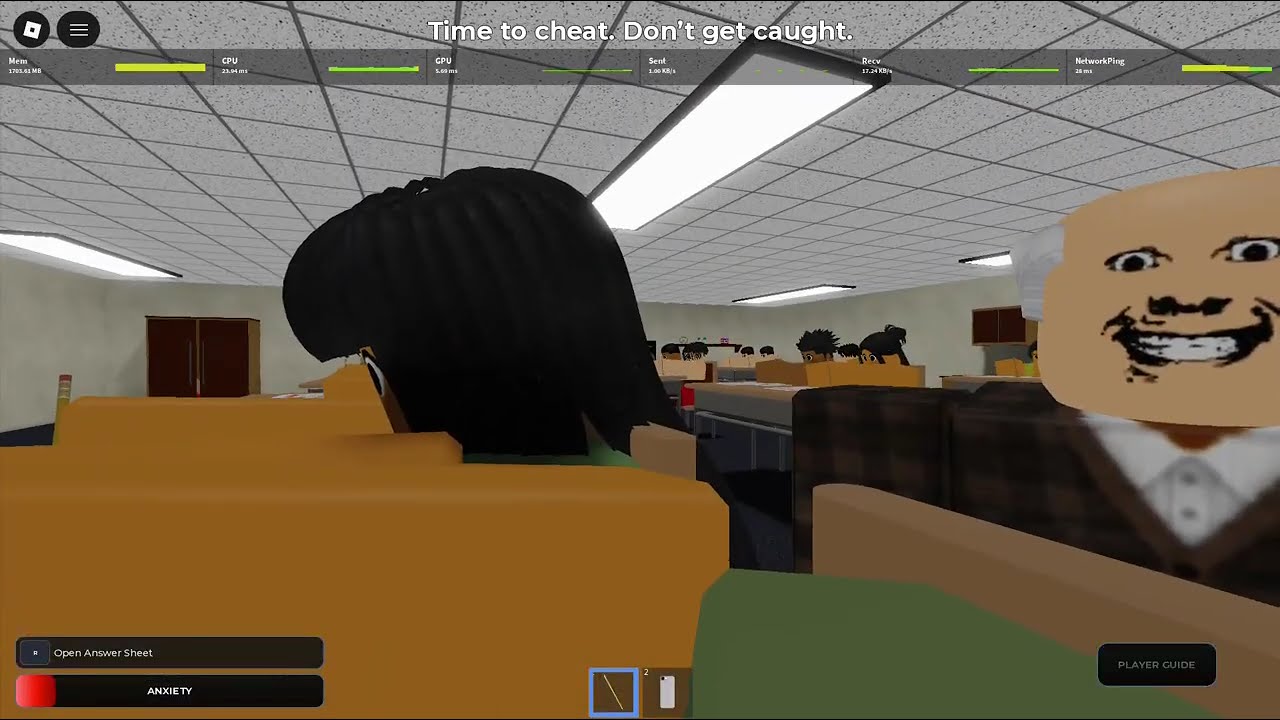
Cheating During Testing hides a lot of skill inside a few prompts. If you fumble Open Answer Sheet, Take Photo, or Pause Loading, you burn the Safe Windows that actually keep you alive. This page is the controls and UI reference for keyboard, mouse, and touch players on Roblox.
Essential prompts
| Prompt | What it does | When to use |
|---|---|---|
| Open Answer Sheet | Reveals your multiple-choice sheet | After seating, facing forward |
| Take Photo | Captures the sheet for the phone pipeline | Only in a safe gaze window |
| Pause Loading | Holds a loading step mid-scan | When the teacher turns mid-photo |
| Pencil / face forward | Lowers Anxiety | Between cheat bursts |
Exact keybinds can differ by platform and Roblox settings. Learn the on-screen labels in your first lobby rather than memorizing a PC-only layout.
Shift Lock off is a control setting
Before Join, open Roblox settings and disable Shift Lock. Shift Lock fights the flick peeks you need for teacher checks. Raise camera sensitivity so peeks are short. Those two settings belong in the same checklist as learning prompts — see Getting Started.
Version A vs Version B sheets
Answer sheets print a version letter. Version B answers are not Version A answers. Copying a neighbor without matching versions quietly tanks your grade even if you never get caught. When you photograph, confirm the version on your own desk. Phone corrections assume you shot your sheet, not a random classmate paper.
Phone pipeline controls
- Prefill all bubbles as A (Phone Trick).
- Wait for a safe window.
- Open sheet if needed, Take Photo.
- Pause Loading if the teacher spins mid-process.
- Enter only answers the phone still lists; skipped numbers stay A.
- Holster immediately.
Full method: Phone Trick. Upgrade impact: Phone Items.
Mid-article video demonstrates the same prompt cadence in a live classroom — match the holster timing.
Mobile and controller notes
Touch players should enlarge UI scale if prompts are easy to miss, and practice two-thumb peeks. Controllers need higher look sensitivity and deliberate short stick taps. Do not hold the stick while photographing — micro-drifts look like staring around and spike Anxiety.
Inventory and caught prompts
When you get caught, a keep-inventory style prompt may appear before the lobby return. That screen means the exam is over — there is no mid-test undo. Review whether you missed Pause Loading or ignored gaze, then queue again with one fix.
Lobby buttons that are also “controls”
Join, Update Log, Shop, Report Bug, and Support sit on the main menu. Update Log is how you learn patch changes before blaming your hands. Shop is where Credits become phones — Shop Items. Report Bug is for real client issues, not snitch drama.
Linking controls to scoring
Clean prompt use is what lets Ultimate Cheater timing land. Sloppy Open/Photo spam is what Avoid Getting Caught tries to fix. Use Timing Checklist as a pre-Join ritual.
Practice drill
Spend one exam doing nothing but prompt hygiene: open sheet, photo, pause once on purpose, holster. Ignore grade chasing. Muscle memory here saves more runs than another Smart Watch.
Accessibility tips
If colorblind modes or UI scale help you read teacher facing, enable them. Hearing cues from punish events also mark windows — keep game audio on during drills.
Parent hub
Return to Guides Hub after you can execute prompts without looking down at the keyboard. Then layer Safe Windows and Phone Trick on top.
Controls mastery is invisible when it works: outsiders only see a calm student. Inside your hands, every prompt is timed to a face vector.
Common prompt mistakes
Opening the sheet while already anxious, photographing before all-A, forgetting Pause Loading when the teacher spins, and overwriting skipped phone numbers are the four classic fails. Write them on a sticky if you must.
Sharing binds with friends
Party members should agree on callouts (“entry”, “punish”, “holster”) so voice chat does not become panic noise during three-second windows.
Closing checklist
Shift Lock off, sensitivity up, know Open / Photo / Pause, confirm sheet version, holster early. That is the entire controls religion for Cheating During Testing.
Frequently Asked Questions
Quick answers to the most common classroom questions.
What does Pause Loading do?
It holds a mid-scan load so you can wait for the teacher to look away again before finishing the phone step.
Why do neighbor answers fail me?
Sheets use Version A/B. Copy only after matching versions — or photograph your own sheet.
Should Shift Lock stay on?
No. Turn it off for faster peeks — see Getting Started.
Where is the safe timing table?
On Safe Windows.