
How to Play Cheating During Testing
Lobby setup, seat choice, and the first exam loop that stops instant fails.
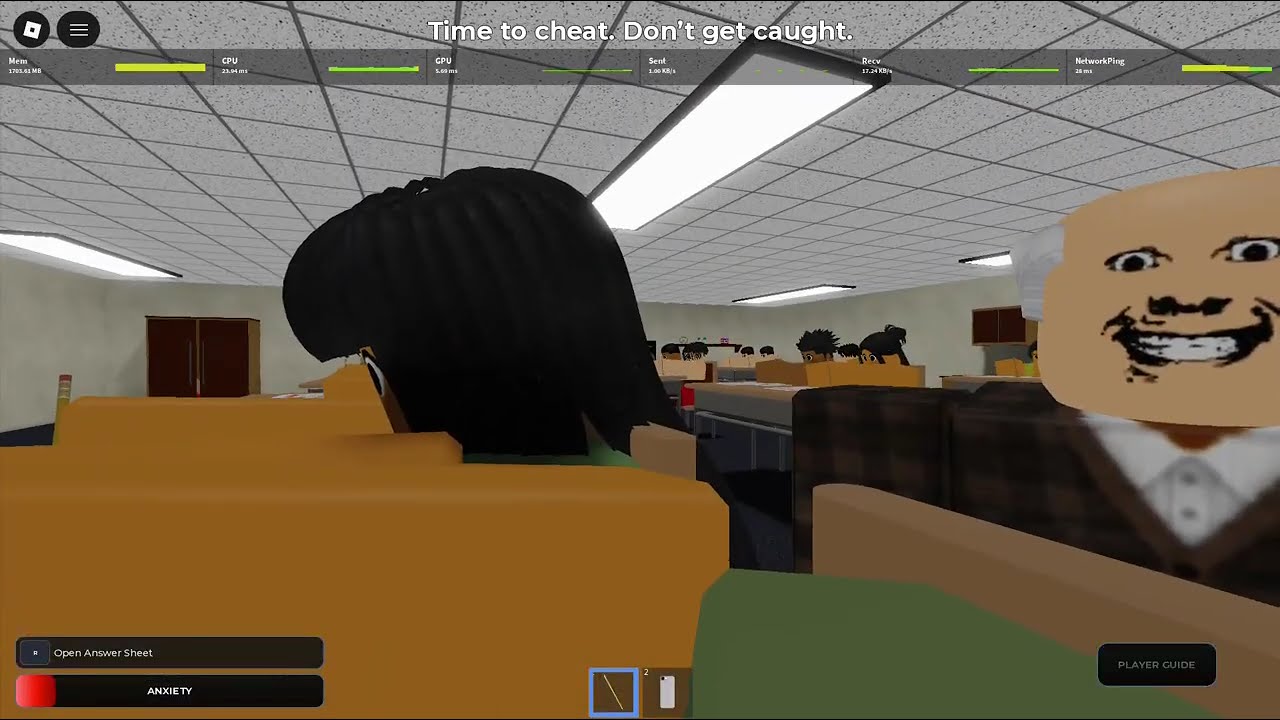
Cheating During Testing drops you into a shared classroom on Roblox with a multiple-choice exam, a roaming teacher, and classmates who can report you for Credits. You forgot to study — the fantasy is finishing the paper without getting caught. This getting-started guide assumes you just pressed Join and want a stable first hour.
Lobby checklist before you Join
On the main menu you will see Join, Update Log, Shop, Report Bug, and Support. Skim the Update Log whenever a mechanic feels different from what you remember — BETA patches land often. Open Shop only after you understand Credits; early impulse buys matter less than learning safe windows. When you are ready, Join a server (up to 24 players).
Settings that decide your camera skill
Turn Shift Lock off before the teacher walks in. Shift Lock fights the quick desk-to-room flicks you need when checking sightlines. Raise camera sensitivity in Roblox settings so a short flick finds the teacher and snaps back to the sheet without a long, anxiety-building pan. Those two settings are more important than any early gadget.
Pick a seat that shrinks angles
Corner desks cut the number of approach lines the teacher can use. Back tables add vision: you can track where the teacher stands without twisting as far. Front-center seats work only if you are already excellent at reading head direction — distance is not danger; facing is. New players should prefer corners until the Phone Trick feels automatic.
The first sixty seconds of a test
Sit, face forward, open the answer sheet promptly. Facing forward keeps Anxiety from spiking at the start. Fill every bubble as A before you touch the phone — that is the foundation explained fully on the Phone Trick page. Watch the teacher’s head, not just their body distance. When they look away, photograph the sheet, copy only the answers the phone still lists, then put the device away and use the pencil while they look back.
Mid-article video walkthrough below shows the same loop in motion — watch how short each cheat window stays.
Meters you must respect
Anxiety rises when you look around and drops when you face forward or write with the pencil. At 100% the teacher locks onto you and safe windows vanish. Hunger also appears in the fantasy loop; snacks and pacing matter on longer exams. Treat meters as timers for how long you can afford to cheat, not as flavor text. Deep meter habits live in Anxiety and Hunger.
Credits, grades, and why early phones matter
Finishing pays based on grade percentage and bonuses. Weak papers earn Rookie Cheater tags and almost no progress; strong papers bank Credits for Shop unlocks. Phone capacity and speed upgrades are the real power spike — details in Phone Items and Phone Tiers. Do not blow your first Credits on cosmetics when a faster scan would save the next run.
Other students are part of the rules
Anyone can report a cheater for about 20 Credits. A table of strangers has a financial reason to watch your phone. Keep cheat bursts short, and read Snitching so you know when reporting is free money versus when you look suspicious yourself.
After you get caught
A caught screen ends the run. You may see inventory keep prompts, then you return to the lobby. There is no mid-exam recovery once that fires. Review whether Anxiety hit 100, whether the phone was out while the teacher faced you, or whether a classmate reported you — then queue again with one fix in mind.
Practice plan for your first three runs
Run 1: seat + camera only, mark all A, phone once safely, survive. Run 2: add two short correction bursts without panic. Run 3: aim for a passing grade and buy the first phone upgrade. Parallel reading: Avoid Getting Caught and Ultimate Cheater. For spend order, open the Credits Planner. Official play link sits on Official Links.
Master this page and you already play better than most of the server average — class averages often hover near the low twenties percent — because you stop treating every second as a panic and start treating the exam as a timed stealth puzzle.
First-day mistakes we want you to skip
Do not buy every Shop icon you see. Do not keep Shift Lock on because other Roblox games trained you that way. Do not sit front-center to “feel brave.” Do not photograph before all-A prefills. Do not argue in chat while the phone is out. Skipping those five mistakes doubles your survival odds on day one.
Keyboard and controller notes
Mouse flicks are easiest for peek-holster cadence. Controllers can raise look sensitivity and practice shorter stick taps. Keyboard-only camera is slower — lean harder on corner seats and entry windows until your hands adapt.
Sharing the lobby with streamers
If someone is streaming, assume your mistakes become content. Play tighter. That social pressure is accidental training for snitch-aware posture.
Frequently Asked Questions
Quick answers to the most common classroom questions.
How do I start Cheating During Testing on Roblox?
Open the experience, check Update Log, disable Shift Lock, raise camera sensitivity, Join, take a corner seat, and follow the all-A phone loop on Phone Trick.
Should beginners buy Shop items first?
Learn one clean phone cycle first. Then prioritize phone upgrades via Shop Items.
Why do I get caught immediately?
Usually the teacher was facing you, Anxiety hit 100%, or a snitch reported you. See Avoid Getting Caught.
Is VIP available?
VIP servers are not allowed on this experience — you play in public classrooms.